
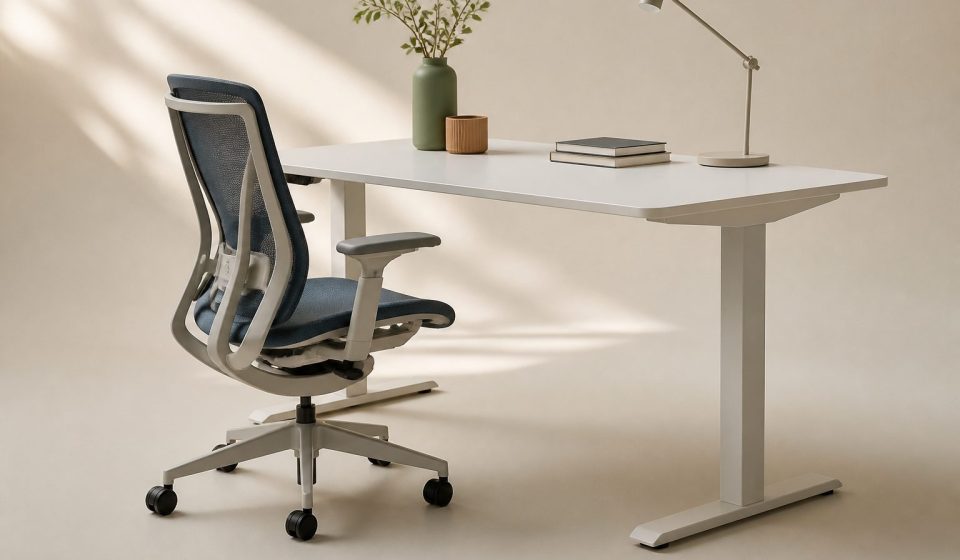
Discover how office, remote, standing, industrial, and hybrid work environments can affect physical comfort, posture, muscles, joints, and everyday wellbeing.
The environment where a person works can have a significant influence on how their body feels throughout the day. A traditional office, home workspace, standing workstation, industrial site, retail environment, or mobile workplace can place very different demands on the body. Factors such as seating, desk height, lighting, temperature, noise, repetitive movements, lifting, screen position, and the amount of time spent in one posture can all contribute to physical comfort or discomfort. A well-designed workplace should support the worker rather than requiring the body to constantly adapt to an unsuitable setup.
Ergonomics focuses on designing work tasks, equipment, and environments to better match the capabilities of workers. According to CDC/NIOSH, ergonomics can help reduce work-related musculoskeletal disorders and other injuries by addressing factors such as posture, force, repetition, tools, equipment, and the physical work environment. Understanding how different work environments affect the body can help employees identify potential sources of discomfort and make practical changes that support safer and more comfortable working habits.
What Is Physical Comfort at Work?
Physical comfort at work means being able to perform job tasks without unnecessary strain, awkward positioning, excessive fatigue, or persistent discomfort.
Comfort does not mean that every working position will feel completely relaxed. Different jobs naturally require different movements and postures. The goal is to reduce unnecessary physical stress and provide appropriate opportunities to change position, rest, and recover.
Important factors affecting workplace comfort include:
- Chair and desk design
- Screen and keyboard position
- Lighting
- Temperature
- Humidity
- Noise
- Air circulation
- Workspace size
- Repetitive movements
- Lifting requirements
- Standing duration
- Sitting duration
- Break opportunities
CDC/NIOSH notes that a healthy office environment should consider physical factors such as temperature, humidity, lighting, noise, airflow, and available space, as well as appropriate equipment and workstations.
How Office Work Can Affect Physical Comfort
Office environments are often associated with relatively low physical demands, but sitting at a desk for long periods can still create discomfort.
A typical office worker may spend much of the day using a computer. If the chair, desk, keyboard, mouse, or monitor is poorly positioned, the worker may repeatedly maintain awkward postures.
Common areas that may feel uncomfortable include:
- Neck
- Shoulders
- Upper back
- Lower back
- Wrists
- Hands
- Hips
Even a well-designed workstation may become uncomfortable if a person remains in exactly the same posture for hours. OSHA recommends changing working positions frequently, making small adjustments, stretching, and standing or walking periodically.
How Desk Setup Influences Your Body
The relationship between the worker and their desk can affect posture significantly.
If the monitor is too low, a person may repeatedly bend the neck downward. If it is too far away, they may lean forward. If the keyboard is positioned incorrectly, the shoulders and wrists may become tense.
A comfortable computer workstation should allow the worker to maintain a relatively neutral posture without excessive reaching or bending.
Useful adjustments include:
- Keeping the screen at a comfortable viewing height
- Keeping the screen approximately an arm’s length away
- Supporting the lower back
- Keeping the shoulders relaxed
- Positioning the keyboard and mouse comfortably
- Keeping the feet supported
NHS guidance recommends adjusting the workstation to the individual and maintaining appropriate support for the back and pelvis.
How Remote Work Can Change Physical Comfort
Working from home provides flexibility, but the home environment may not have been designed as a workplace.
Some people work from a kitchen table, sofa, bed, or temporary desk. While these arrangements may be convenient for short periods, they can become uncomfortable when used for full working days.
NIOSH specifically advises that a dedicated workspace can help support healthy working habits and reduce the risk of work-related musculoskeletal problems. It also recommends varying posture and avoiding prolonged work on sofas or other unsuitable seating when possible.
Remote workers may experience discomfort because:
- Laptop screens are too low
- Chairs provide inadequate support
- Desks are at unsuitable heights
- Lighting creates glare
- There is limited space to move
- Workers remain seated for long periods
- Work and relaxation happen in the same location
Creating a designated workspace can therefore be valuable even in a small home.
Why Laptop Work Can Be Challenging
Laptops are convenient because the screen and keyboard are connected. However, this design can make ideal positioning more difficult.
If the screen is raised to a comfortable eye level, the keyboard may become too high for comfortable typing. If the keyboard is positioned correctly, the screen may be too low.
A separate keyboard and mouse, combined with a laptop stand or raised screen, can provide greater flexibility.
The objective is to position the equipment so that the worker does not have to repeatedly bend the neck or raise the shoulders.
How Standing Jobs Affect the Body
Not all workplace discomfort comes from sitting.
People who work while standing for long periods may experience fatigue in the feet, legs, hips, and lower back. Standing in one position for an extended period can also become uncomfortable even when the posture initially feels acceptable.
OSHA notes that extended standing can place stress on the back and legs and recommends opportunities to change position where possible.
People working in retail, healthcare, hospitality, manufacturing, laboratories, and other settings may spend substantial portions of their shifts standing.
Useful strategies can include:
- Changing position regularly
- Taking appropriate breaks
- Using supportive footwear
- Using a footrest where appropriate
- Alternating tasks when possible
- Sitting briefly when the job allows it
The goal is not necessarily to eliminate standing but to avoid prolonged static positioning.
How Industrial Work Can Affect Physical Comfort
Industrial and manufacturing environments can involve lifting, pushing, pulling, carrying, reaching, bending, vibration, and repetitive movements.
These tasks can place different demands on muscles and joints compared with desk-based work.
CDC/NIOSH identifies force, repetition, awkward postures, vibration, and other physical factors as workplace risk factors associated with musculoskeletal disorders.
For example, repeatedly lifting heavy objects from floor level may place considerable demand on the back and lower body. Repetitive hand movements may place stress on the hands, wrists, or forearms.
Ergonomic solutions may include:
- Mechanical lifting equipment
- Improved work heights
- Better tool design
- Task rotation
- Appropriate training
- Adjustable workstations
- More efficient material placement
How Healthcare Work Environments Affect the Body
Healthcare professionals may experience a combination of physical demands.
Depending on the role, workers may spend time standing, walking, lifting, assisting patients, reaching, pushing equipment, or working at computers.
Healthcare environments can therefore require both physical movement and periods of static posture.
Proper equipment, safe movement techniques, appropriate staffing, task variation, and suitable recovery periods can all contribute to physical comfort.
Workers should follow their organization’s safety procedures and seek professional guidance when a task repeatedly causes discomfort.
How Retail and Hospitality Work Can Affect Comfort
Retail and hospitality jobs can involve long periods of standing and walking, frequent reaching, carrying objects, bending, and interacting with customers.
Employees may also work on hard floors, which can contribute to foot and leg fatigue.
Workplace design can make a difference. Frequently used items should ideally be positioned so workers do not need to repeatedly stretch or bend unnecessarily.
Where practical, alternating tasks can also help distribute physical demands across different parts of the body.
How Lighting Affects Physical Comfort
Lighting is an important but sometimes overlooked part of workplace comfort.
Poor lighting or excessive glare can make it harder to see computer screens or documents. Workers may then lean forward, squint, or adopt awkward positions to see more clearly.
OSHA notes that excessive lighting or glare can contribute to eyestrain and headaches and may encourage awkward postures when viewing a screen.
A comfortable workspace should therefore have appropriate lighting with minimal glare.
Simple changes can include:
- Adjusting blinds or curtains
- Repositioning the monitor
- Reducing reflections
- Adjusting screen brightness
- Using suitable task lighting
Temperature and Airflow Matter Too
Physical comfort is not only about posture.
Temperature, humidity, and airflow can influence how comfortable a person feels while working. A workspace that is too hot, too cold, humid, or poorly ventilated may make it harder to remain comfortable and focused.
CDC/NIOSH recommends considering temperature, humidity, light, noise, airflow, and space when creating a healthy office environment.
For example, workers sitting directly beneath a strong air-conditioning vent may experience discomfort from constant cold airflow. OSHA recommends arranging workstations to maintain appropriate air circulation without directing uncomfortable airflow directly onto workers.
How Noise Can Affect Workplace Comfort
Noise is another environmental factor.
Constant background noise, loud machinery, conversations, alarms, or other interruptions can make a workspace physically and mentally tiring.
In workplaces where loud equipment is necessary, appropriate hearing protection and workplace controls may be required.
In quieter office environments, reducing unnecessary noise can make it easier to concentrate and may reduce overall workplace stress.
Hybrid Work and Physical Comfort
Hybrid work combines different work environments. A person might work at an office two or three days per week and from home on other days.
This flexibility can be useful, but it also creates a challenge: the worker may have two completely different workstation setups.
An office may have an adjustable chair and monitor, while the home setup may involve a laptop on a kitchen table.
CDC/NIOSH emphasizes that work environments can include offices, homes, mobile locations, and other settings, and that workers still need access to appropriate ergonomic tools and safe environments.
Workers should therefore try to maintain similar ergonomic principles across locations.
Why Changing Posture Is Important
One of the most important principles of workplace comfort is variation.
Even a good posture can become tiring if it is maintained for too long.
OSHA recommends frequent position changes, while CDC/NIOSH notes that short breaks can help reduce discomfort among people who work on computers.
Useful movement can include:
- Standing up
- Walking briefly
- Stretching
- Changing chair position
- Switching tasks
- Moving the hands and wrists
- Looking away from the screen
Regular movement gives different muscles and joints opportunities to change their workload.
How Work Breaks Can Improve Comfort
Breaks do not always have to mean stopping work for a long period.
A short movement break can involve standing, walking to get water, changing tasks, or briefly stretching.
CDC/NIOSH reports that short breaks every hour can help reduce discomfort among computer workers.
The exact break schedule can vary according to the job, workplace policy, safety requirements, and individual needs.
The important principle is to avoid unnecessary periods of uninterrupted static work.
Creating a More Comfortable Work Environment
A comfortable workplace does not necessarily require expensive equipment.
Start by evaluating the current environment.
Ask yourself:
- Is my chair supporting my back?
- Are my feet comfortably supported?
- Is my screen positioned appropriately?
- Are my shoulders relaxed while typing?
- Are my wrists in a comfortable position?
- Do I remain in one position for too long?
- Is the lighting causing glare?
- Is the temperature comfortable?
- Do I have enough room to move?
- Can I change tasks or posture regularly?
These simple questions can help identify areas for improvement.
Why Ergonomics Should Be Personalized
There is no single workstation arrangement that works perfectly for every person.
People differ in height, body proportions, physical abilities, job requirements, and health conditions. A workstation that feels comfortable for one worker may not work well for another.
CDC/NIOSH describes ergonomics as designing work tasks to fit the capabilities of workers.
This is why adjustable furniture and equipment can be valuable. They allow the environment to be adapted to the individual instead of forcing every worker into exactly the same position.
When Physical Discomfort Should Not Be Ignored
Occasional tiredness or mild stiffness may occur during a normal working day. However, persistent or worsening pain should not simply be accepted as part of having a job.
Workers should consider discussing recurring symptoms with an appropriate healthcare professional, occupational health service, or workplace safety representative.
Symptoms such as persistent pain, numbness, weakness, significant swelling, or reduced movement may require professional assessment.
Early attention can be useful because ergonomic problems are often easier to address before they become more disruptive.
Practical Tips for Different Work Environments
Regardless of where you work, several principles can support physical comfort:
- Adjust your workstation to your body.
- Avoid prolonged static postures.
- Change positions regularly.
- Take appropriate movement breaks.
- Keep frequently used items within comfortable reach.
- Reduce unnecessary bending and reaching.
- Use suitable equipment for physically demanding tasks.
- Pay attention to lighting and glare.
- Maintain comfortable temperature and airflow.
- Report recurring workplace discomfort or hazards.
Source
CDC/NIOSH – Office Environments and Your Safety
CDC/NIOSH – Ergonomics and Work-Related Musculoskeletal Disorders
NHS – Seating and Ergonomics
Conclusion
Different work environments can affect physical comfort in very different ways. Office workers may experience discomfort from prolonged sitting and computer use, remote workers may struggle with unsuitable home setups, standing workers may experience leg and back fatigue, and industrial workers may face demands involving lifting, repetition, force, or awkward postures. Environmental factors such as lighting, temperature, humidity, airflow, and noise can also influence how comfortable a person feels at work.
The key is not to search for one perfect posture or one universal workstation. Instead, a healthy work environment should allow people to work safely, change position, use appropriate equipment, and take reasonable opportunities to move and recover. By paying attention to ergonomics and making practical adjustments, workers can create environments that better support physical comfort and long-term wellbeing.
FAQ
1. What is workplace ergonomics?
Workplace ergonomics is the process of designing work tasks, equipment, and environments to better match the capabilities and needs of workers.
2. Can an office job cause physical discomfort?
Yes. Long periods of sitting, computer use, repetitive movements, and poorly adjusted workstations can contribute to discomfort in areas such as the neck, shoulders, back, wrists, and hands.
3. Is working from home better for physical comfort?
Not necessarily. Working from home can be comfortable when the workspace is appropriately designed, but working from a sofa, bed, or unsuitable table for long periods can contribute to discomfort.
4. How can I make my desk more comfortable?
Adjust the chair and screen to suit your body, support your back, keep your feet supported, position the keyboard and mouse comfortably, reduce glare, and change positions regularly.
5. Is standing all day healthier than sitting?
Not necessarily. Prolonged standing can also cause fatigue and discomfort. Alternating between sitting, standing, walking, and other activities can provide more variation.
6. Why does my neck hurt after computer work?
Neck discomfort may be related to prolonged static posture, screen position, workstation setup, or other factors. Adjusting the workstation and changing position regularly may help, but persistent pain should be professionally assessed.
7. Can lighting affect physical comfort?
Yes. Poor lighting or screen glare can contribute to eyestrain and headaches and may cause workers to adopt awkward positions to see clearly.
8. Why are movement breaks important?
Movement breaks interrupt prolonged static positions and give muscles and joints an opportunity to change their workload. CDC/NIOSH notes that short breaks can help reduce discomfort among computer workers.
9. How can industrial workers reduce ergonomic strain?
Depending on the task, workers may benefit from appropriate lifting equipment, improved work heights, task variation, suitable tools, training, and reducing unnecessary reaching, twisting, or repetitive force.
10. When should workplace pain be checked by a professional?
Persistent, worsening, severe, or recurring pain, numbness, weakness, swelling, or reduced movement should not be ignored. A healthcare or occupational health professional can help determine the cause and appropriate next steps.
Comparing Physical Comfort Challenges in Different Work Environments
| Work Environment | Common Physical Issues | Approximate Setup Costs | Break Opportunities | Adjustability Options |
|---|---|---|---|---|
| Traditional Office | Neck/shoulder pain, lower back discomfort, eye strain | $300–$1,200 (ergonomic chair, desk, monitor) | Typically scheduled (every 1–2 hours) | Desk and chair height, monitor position |
| Home/Remote Workspace | Poor posture, makeshift seating, inconsistent lighting | $150–$800 (varies based on available furniture) | Flexible, self-managed | Depends on personal equipment |
| Standing Desk Setup | Leg fatigue, foot discomfort, standing strain | $200–$700 (standing desk, anti-fatigue mat) | Often self-directed (recommended every 30–60 min) | Height adjustable desk, monitor arm |
| Industrial/Manual Labor | Lifting injuries, repetitive strain, exposure to temperature extremes | $500–$2,000 (safety equipment, ergonomic tools) | Scheduled, sometimes limited | Varies, often limited by job tasks |
| Hybrid (Office & Remote) | Varied comfort, inconsistent setups, adjustment fatigue | $400–$1,500 (duplicated equipment) | Mix of scheduled and flexible | Depends on both locations |
This article is general health information and not medical advice. Speak with a qualified clinician about your own situation.